Add
Add folders from the app or straight from the Finder's right-click menu. Hangar finds .xcworkspace, .xcodeproj and Package.swift on its own.

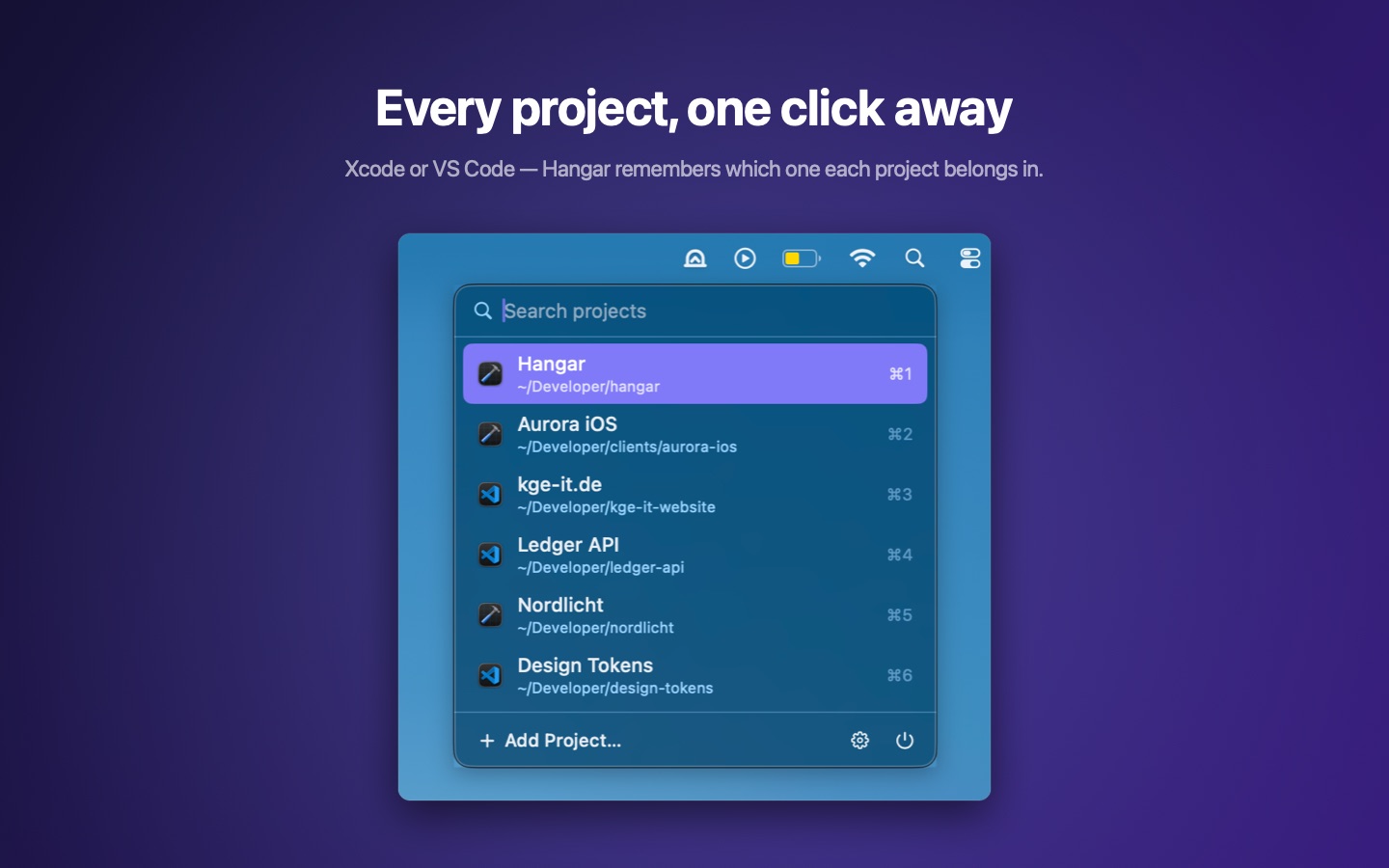
Open your projects from the menu bar.
Hangar is a project launcher for the macOS menu bar. Add your folders, choose the editor per project, and open anything in Xcode or Visual Studio Code with one click.
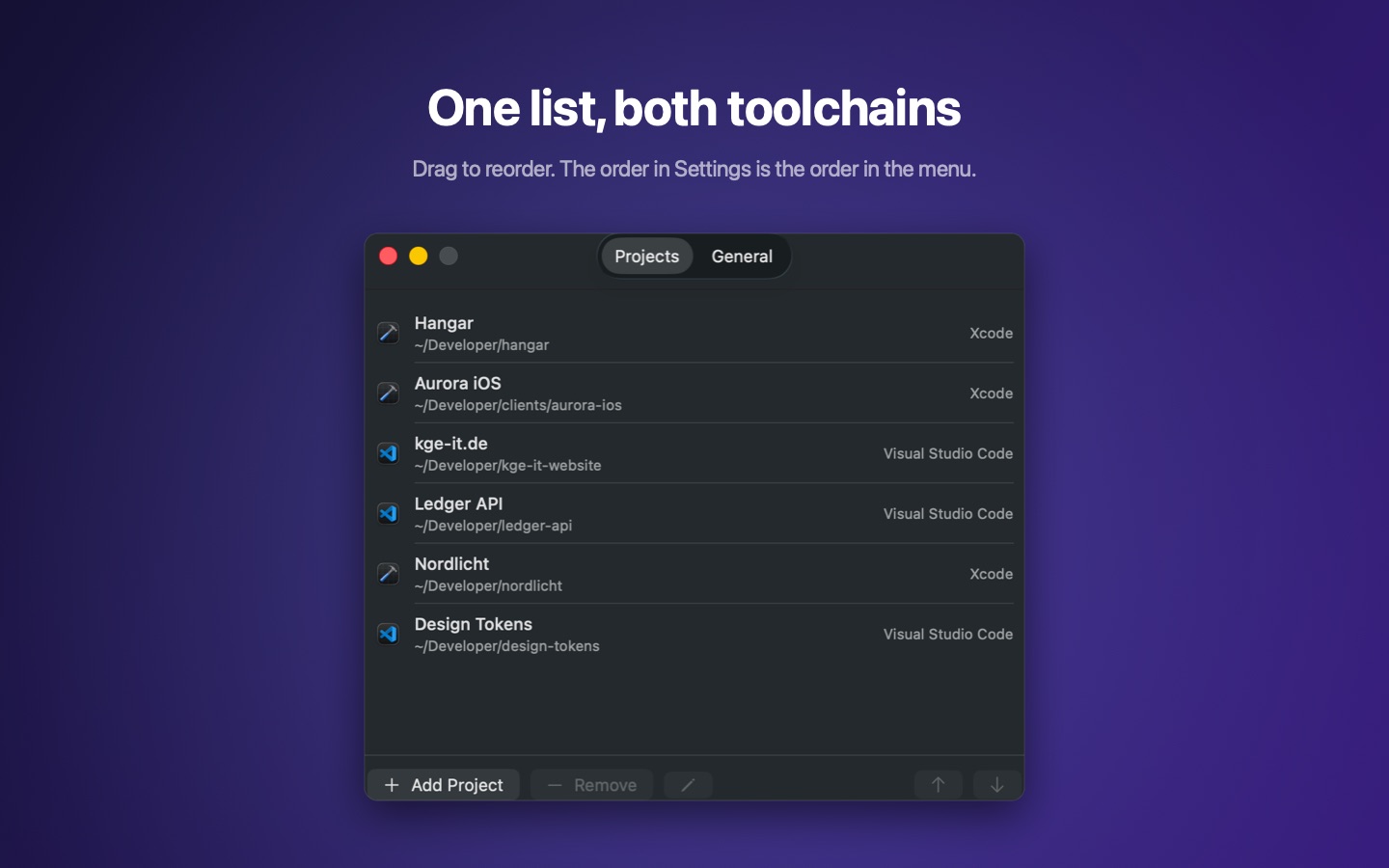
Add the folders you work in and choose whether each one opens in Xcode or Visual Studio Code. One click on the menu bar icon lists every project; one click on a row hands the folder to its editor. If that editor already has the project open, the existing window comes forward instead of a second one.
Projects can also be added without opening Hangar: right-click a folder in the Finder and choose Add to Hangar. The matching editor is suggested from the folder's contents, and if several folders are selected, they are added together.
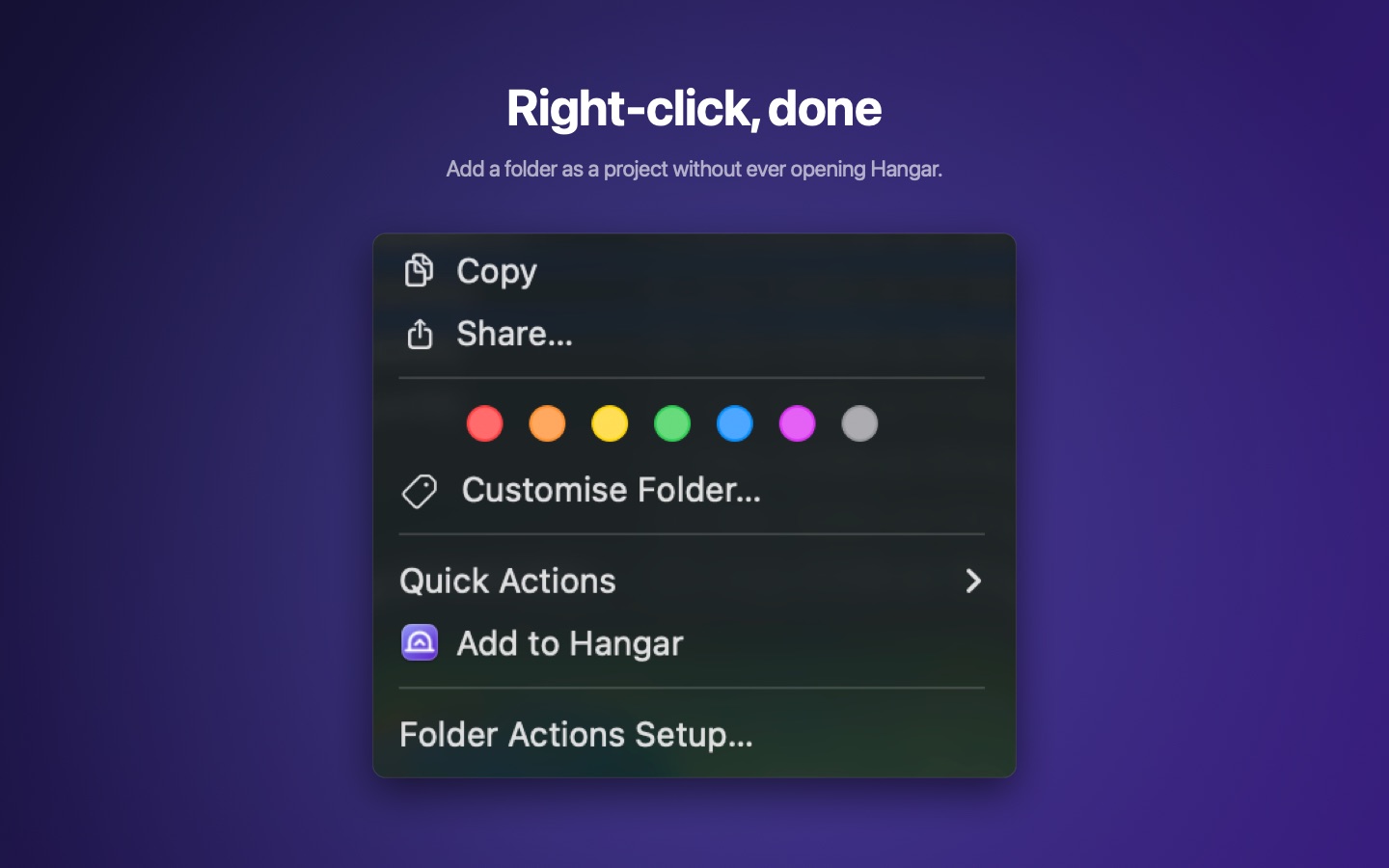

Add folders from the app or straight from the Finder's right-click menu. Hangar finds .xcworkspace, .xcodeproj and Package.swift on its own.
One click on a row hands the folder to Xcode or Visual Studio Code — whichever is stored for that project.
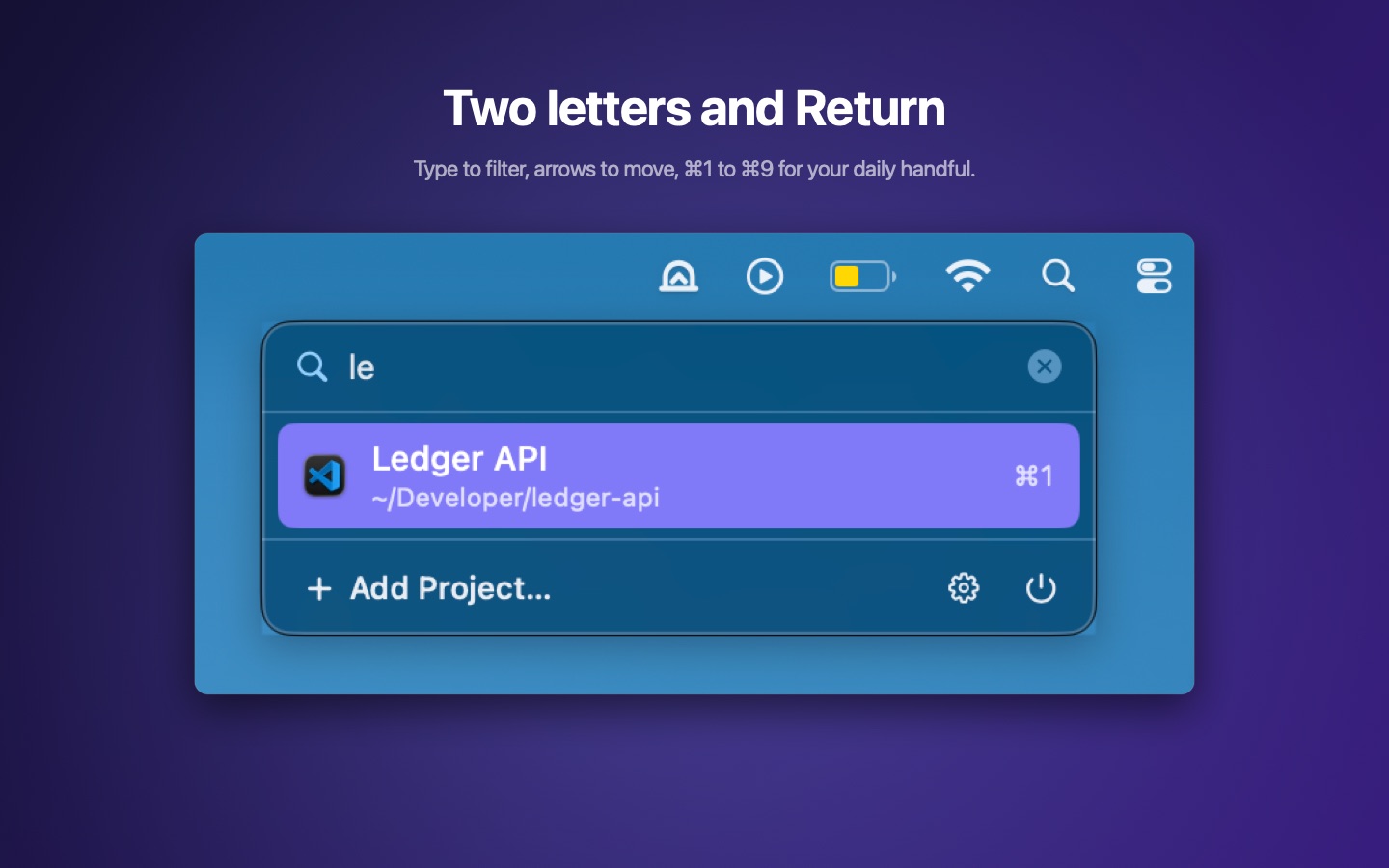
The list can be operated entirely from the keyboard: letters filter the entries, the arrow keys move the selection, Return opens the project. The first nine projects are also reachable with ⌘1 to ⌘9.
Hangar collects nothing. The project list stays on your Mac, there is no account and no background service.
Privacy Policy